Cinematic Logo Animations Arrived! Drop a Logo, Get a Jaw-Dropping Intro.

Sora 2 Is Shutting Down. Now Meet the Rising Star of Video Generation Models

Last Updated: 2026. 04. 13

It is not just the Sora app that is discontinued permanently. OpenAI is also shutting down the Sora 2 video generation model. It must be confusing to decide which alternative to explore next.

Let us soothe your anxiety. The AI video landscape is full of powerful alternatives ready to step in. Meet your favorite Sora 2 alternatives that capture magic while offering fresh ways to innovate now!

The List of The Best Sora 2 Alternative Models

The following video generation models are the top choices for most by April, 2026. AI video generation models are evolving fast. We will update this list once there are better Sora 2 alternatives. Please stay tuned.

  • Google Veo 3.1: A high-end AI video generation model from Google. Ideal for cinematic scenes.
  • Seedance 2.0: A breakthrough model that is dedicated to producing longer, multi-shot sequences.
  • Kling 3.0: Known for native audio, strong motion quality, and long-duration generation.
  • Minimax Hailuo: Often used for shorter clips and prototype content where speed and cost matter most.
  • Hunyuan: Open-source video generation model with a strong focus on structural stability, coherence, and text-to-video alignment.
  • Grok Imagine Video: Designed for fast, dynamic content, especially for social reels and prompt-driven motion.
  • Wan 2.7: A budget-friendly option for better motion control, smooth motion, and multi-character consistency.
  • LTX 2: Video generation and editing suite for advanced editing and storyboarding controls.
  • Having a hard time deciding which Sora 2 alternative to go? Then try them all without emptying your wallet. FlexClip helps you access nearly all models mentioned on the list.
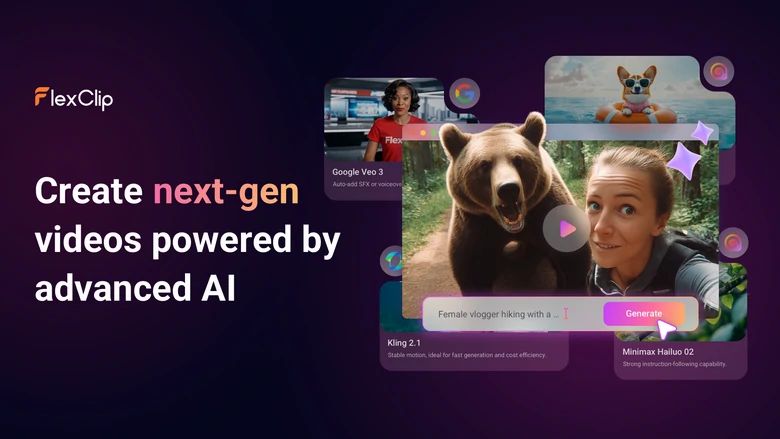
    FlexClip Video Generator Overview
    Access Popular Video Models In One Go

    Google Veo 3.1

    Launched in 2025, Veo 3.1 is the latest generation of Google’s video synthesis technology. It is able to create videos directly from prompts, as well as reference images. Besides generating realistic clips, Veo 3.1 introduces lots of creative controls such as start/end frame sequencing, and multi-image reference guidance, which helps maintain visual consistency across clips.

    Additionally, Veo 3.1 is the first AI model that can create synchronized audio (dialogue, ambient sound, and effects) along with the visual. This level of prompt understanding and production quality makes Veo 3.1 an ideal choice for generating marketing videos, educational explainers, and so much more.

    Google Veo 3.1 Announcement Video

    Key Statistics

  • Pricing: $0.05 per clip for 720P video at Light mode; $0.15 per second for 1080P at Fast mode; $0.4-0.75 per second for 4K video at Standard mode.
  • Realism: 9/10. The visuals are cool, but the audio needs improvement.
  • Speed: In many integrations, you can expect full-quality generation in just 2 minutes. However, it very depends on infrastructure and platform choice.
  • Video Duration: 4,6,8 second.
  • Access: Gemini app, and other platforms integrated with Veo 3.1.
  • Pros Compared with Sora 2

  • Veo 3.1 is less strict when it comes to dealing with real person images and video clips. In Sora 2, you can only use authorized real-person images.
  • Veo 3.1 has features such as start/end frames, multi-image references, and narrative continuity tools, which give creators more control over style and consistency.
  • Veo 3.1 is deeply integrated with broader Google AI ecosystems, so it is easier for you to automate or scale generation workflows.
  • Cons Compared with Sora 2

  • Veo 3.1’s high-quality AI video generation remains relatively expensive.
  • The rich control options can add complexity to prompt engineering while Sora 2’s interface was often designed for quick, consumer-oriented workflows.
  • Seedance 2.0

    The launch of Seedance 2.0 is like a bomb for AI generation land. Some people say it even excels Google Veo 3.1. Is it really true?

    Instead of calling Seedance 2.0 a video generation tool, we are more willing to call it a mini film editor. Unlike Veo 3.1 generating a single clip, Seedance 2.0 automatically structures a scene into shots with consistent characters, camera angles, and transitions.

    Under the hood, Seedance 2.0 uses a multimodal architecture that processes different inputs simultaneously, like text, images, audio, video references. This allows creators to guide everything from character appearance to sound design in one pass.
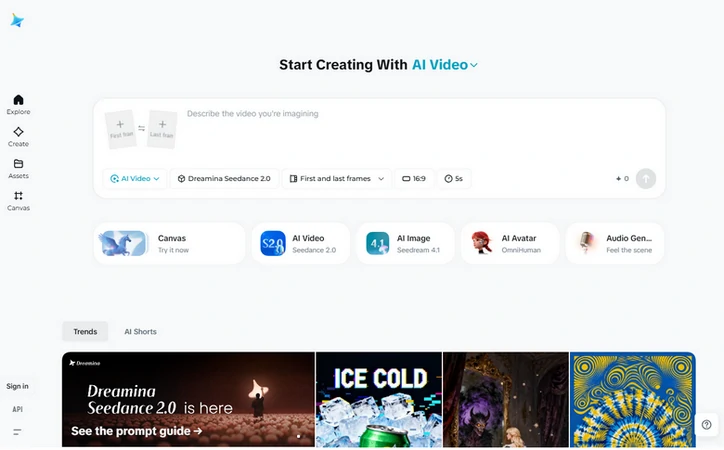
    Seedance 2.0 Access from Dreamina

    Seedance 2.0 Access from Dreamina

    Key Statistics

  • Pricing: The estimated price is around $0.05 per second. It also depends on the video quality and platform.
  • Realism: 9.5/10.
  • Speed: Slightly slower than other AI fast mode tools, but more complete output.
  • Video Duration: Up to 15 seconds.
  • Access: CapCut, Doubao app, Jimeng website, and other tools integrated with Seedance 2.0.
  • Pros Compared with Sora 2

  • Seedance 2.0 generates structured sequences with cuts and transitions, not just single clips. This makes Seedance 2.0 a better choice for storytelling, ads rather than isolated clips.
  • You can even upload videos, audios, rather than just text prompts and images to create more professional-level content.
  • Most Sora 2 alternatives stick to 8-second clips. Seedance 2.0 can go up to 15 seconds.
  • Cons Compared with Sora 2

  • Access is quite restricted in many regions and often tied to ByteDance platforms.
  • Seedance 2.0 strictly forbids photos and videos containing real persons.

    Kling 3.0

    Developed by Kuaishou, Kling 3.0 always produces videos very close to what you ask for. The secret lies in how you interact with all the elements. You can specify the subject, the environment, and camera movement, to build a coherent scene. This reduces the randomness you often encounter in weaker models.

    Kling 3.0 also excels at motion realism, meaning actions happen with believable physics. Whether it is a character walking, or dynamic movements, Kling interprets your instructions in a grounded way.

    Kling 3.0 Official Release Video

    Key Statistics

  • Pricing: $0.05 per second on standard mode. $0.1 per second for pro mode.
  • Realism: 8.5/10.
  • Speed: Two modes that meet different needs. Fat mode is for quick iteration, and Full Quality mode is built for slower but higher fidelity output.
  • Video Duration: Up to 10 seconds. There is an extended video feature which allows you to extend initial clips to create a total duration of up to 2-3 minutes.
  • Access: Kling official website.
  • Pros Compared with Sora 2

  • Kling gives you more control over elements you uploaded, and automatically creates structured scenes with cuts and transitions.
  • Kling creates longer sequences in one go.
  • Kling can now create more grounded and believable movement, especially in action scenes.
  • Cons Compared with Sora 2

  • High demand can lead to slower generation or waiting periods, especially if you are on free tiers.
  • To fully use storyboarding and control feature, prompting can get more complex. It may take time to master some prompting formulas.

    Minimax Hailuo

    Minimax Hailuo focuses on turning images and text prompts into short, but highly detailed clips. It is the best choice for creators who need efficient, repeatable video generation without sacrificing too much realism.

    That’s not to say Hailuo only creates small clips. It supports multiple workflows, including text to video, image to video, even reference-based generation, allowing creators to maintain visual style across multiple clips. After the generation is done, you can combine them into long videos.
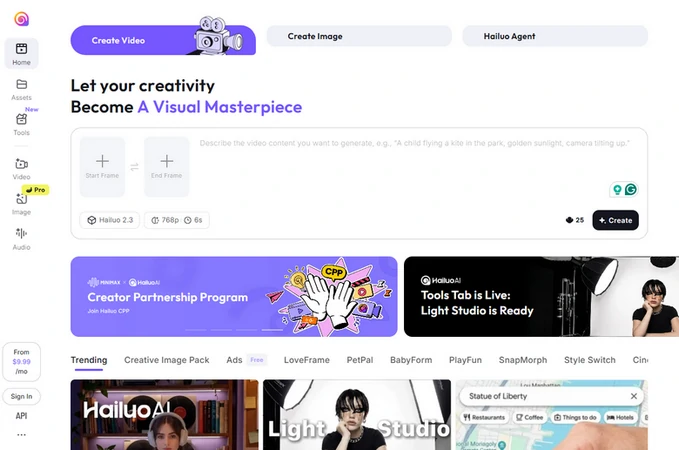
    Minimax Hailuo Interface

    Minimax Hailuo Interface

    Key Statistics

  • Pricing: $9.99 per month for 1000 credits, or scale up to $199.99 per month for high-volume users.
  • Realism: 8/10.
  • Speed: 5-second video clip generation takes only 1 minute.
  • Video Duration: 5-10 seconds per generation.
  • Access: Hailuo official website.
  • Pros Compared with Sora 2

  • Hailuo is designed to deliver strong quality at a fraction of the cost of premium models.
  • Excellent for scenes involving motion, interaction, and environmental effects.
  • Support multiple inputs and batch generation for better control and consistency.
  • Cons Compared with Sora 2

  • Most Hailuo video generation models can’t generate synchronized audio.
  • It may fail to reach the same level of lighting and detail perfection as Sora 2.

    Hunyuan

    Hunyuan is Tencent’s large-scale AI video generation system designed to produce high-fidelity, motion-consistent videos from text or image prompts. It is also part of a broader Hunyuan ecosystem that extends into image, audio, and even 3D generation, making it one of the most comprehensive multimodal AI families in the industry.

    What makes Hunyuan stand out is its focus on scalability and realism in motion-heavy scenes. It uses large-scale video data to train the model to ensure strong temporal consistency, meaning objects, characters, and environments remain stable across frames.
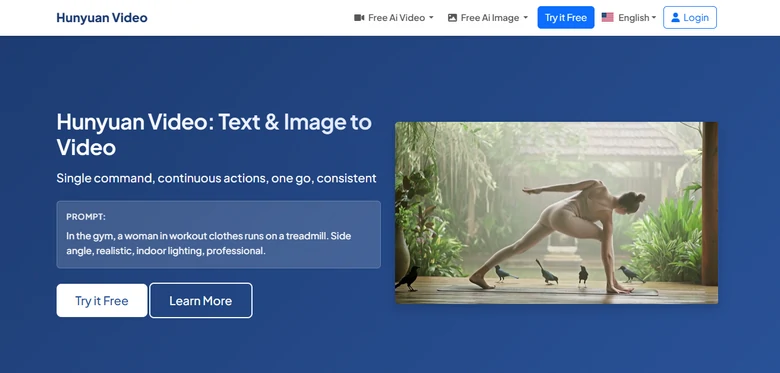
    Hunyuan Video Interface

    Hunyuan Video Interface

    Key Statistics

  • Pricing: Open-source. Free to download and run on any device.
  • Realism: 8/10.
  • Speed: A 5-second video clip generation takes 3 minutes.
  • Video Duration: 5-10 seconds per generation.
  • Access: Research + developer access via GitHub and integrations.
  • Pros Compared with Sora 2

  • Compared to closed models like Sora 2, Hunyuan video is free to use, and offers flexible deployment options.
  • Hunyuan video connects video with image, 3D, and language models for future cross-media workflows.
  • Hunyuan is particularly good at keeping objects, characters, and environments stable across frames, reducing flickering or sudden visual changes.
  • Cons Compared with Sora 2

  • Non-developers may have difficult a time accessing the Hunyuan video model.
  • Hunyuan video misses audio generation.

    Grok Imagine Video

    Instead of focusing on long cinematic sequences, Grok Image Video prioritizes speed, spontaneity, and strong prompt responsiveness. Users can quickly generate dynamic clips without complex prompting or long rendering times.

    The model is tightly integrated into the broader Grok ecosystem and it is optimized for interactive, conversational creation. This means users can interactively polish outputs in a chat-like workflow.
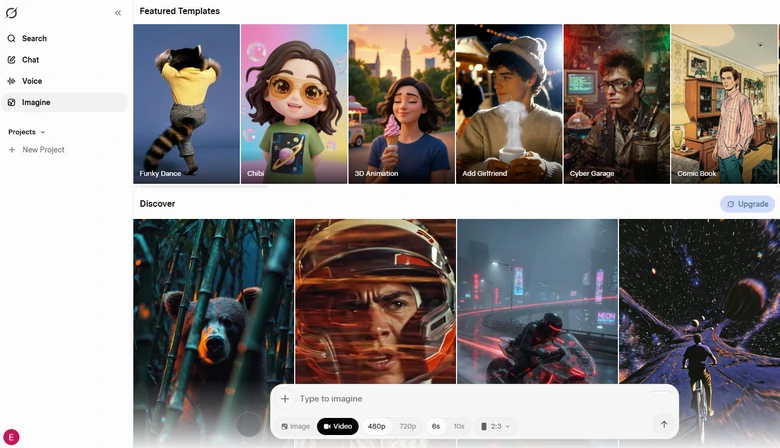
    Grok Imagine Video Interface

    Grok Imagine Video Interface

    Key Statistics

  • Pricing: $30 per month for HD 720P video generation.
  • Realism: 8.5/10.
  • Speed: 5-second video clip generation takes around 1.5 minutes.
  • Video Duration: 6 or 10 seconds per generation.
  • Access: Grok app and other tools integrated with its API.
  • Pros Compared With Sora 2

  • Grok models are generally strong at following direct instructions quickly, especially for style and tone changes.
  • The Grok model is less strict on generating clips that contain a real person.
  • Grok-generated clips are optimized for memes, short cinematic shots and other content for social media.
  • Cons Compared With Sora 2

  • Compared to Sora 2, it is weak in lighting, realism, composition, and physics simulation.
  • Depending on the prompt complexity, the outputs can shift between highly stylized motion, or slightly unstable visual continuity.

    Wan 2.7

    Wan 2.7 is Alibaba’s latest-generation AI video model designed to act as a full creative production system rather than a simple text-to-video generator. The best practise of using Wan 2.7 is motion mimic. Upload an image and a reference video, it will perfectly copy the motion to the image.

    Apart from motion mimic, Wan 2.7 also excels at first-and-last frame guidance, instruction-based editing, making it feel closer to a complete AI video editing suite.
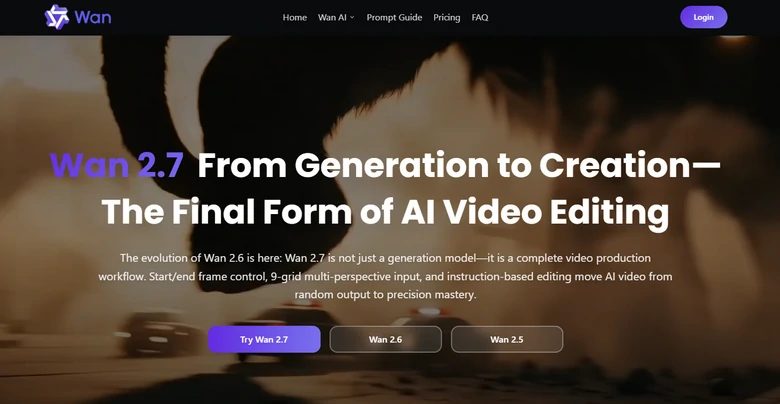
    Wan 2.7 Video Generation Model Interface

    Wan 2.7 Video Generation Model Interface

    Key Statistics

  • Pricing: Typically starts around $0.1 per second.
  • Realism: 8.5/10.
  • Speed: 5-second video clip generation takes around 2 minutes.
  • Video Duration: 2 to 15 second per generation.
  • Access: Github, Hugging Face, Alibaba Cloud Model Studio.
  • Pros Compared with Sora 2

  • Wan 2.7 creates videos with scene transitions, camera changes, narrative structure, which makes the output feel edited rather than raw AI generation.
  • It has the best motion mimic feature that other video generation models can’t compare.
  • Cons Compared with Sora 2

  • It is tricky to access Wan 2.7 if you are a non-professional. Even if you do, running Wan 2.7 often requires strong GPU infrastructure.

    LTX 2

    Unlike Grok seeking a balance between speed and video quality, LTX 2 is for creating longer, structured outputs in up to 4K with precise motion, camera control, and temporal consistency. The model supports multiple input types, including text, images, video, and audio. You can guide each scene with much more accuracy.

    Though the video generation duration cap is 20 seconds, you can generate multiple scenes simultaneously in the same style for a long video. That’s why people are using LTX 2 to produce movies, TV series, and professional-level commercials.
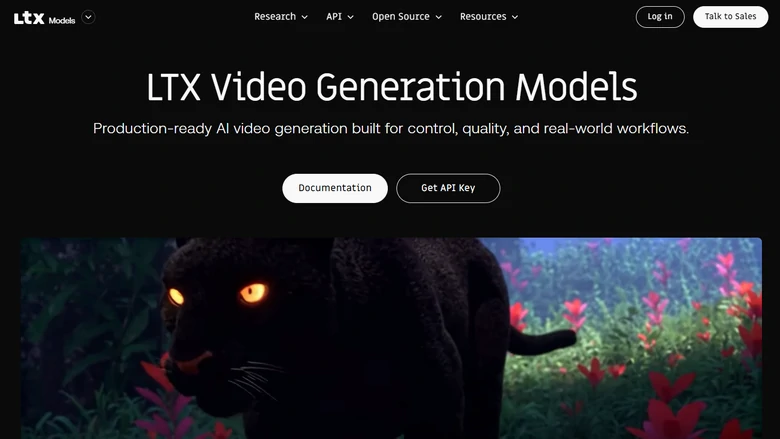
    LTX 2 Video Generation Model Interface

    LTX 2 Video Generation Model Interface

    Key Statistics

  • Pricing: $10-15 per month for the Lite plan, $30-35 per month for the Standard plan, and $100-125 per month for the Pro plan.
  • Realism: 9.5/10.
  • Speed: 20-second video clip generation takes around 10 minutes.
  • Video Duration: Up to 20 second for each scene.
  • Access: LTX Studio
  • Pros Compared with Sora 2

  • LTX 2 aims at producing professional-level videos up to 4K, while Sora 2 can only go 720P.
  • LTX 2 offers you more control in video generation. You can upload images, videos, audio to guide the creation process.
  • LTX 2 does a great job in maintaining the same visual style.
  • Cons Compared with Sora 2

  • Compared with Sora 2, LTX 2 is quite difficult to master. You might need to go through a steep learning curve.
  • Producing high-quality videos takes time. You might need to wait long time for LTX 2 to complete your task.

    Conclusion

    While Sora 2 is like a benchmark for AI video generation, it is far from the only option. Models like Seedance 2.0, LTX 2, Veo 3.1 are bringing their own strengths to the table. As AI video technology continues to evolve, they are rapidly closing the gap with high-end production workflows. We will also updating this post, showing you the most advanced models. Please stay tuned.

    Group 11
    Make a free video online
    Create Your First Video With FlexClip Now
    Get Started - Free














